
And the last of the animals series of Lisa Bardot‘s mini tutorials! Recently I signed up for a Procreate digital art workshop in Algarve, Portugal with this lovely American illustrator in May. How exciting! And in preparation for it, she suggested we follow her 4-week tutorial, Kick Start with Procreate. And what useful tips did I pick up from that. Although she starts from the very basics, we quickly learn and cover areas that even I myself had never discovered earlier! The first is using Procreate brushes to add fur texture and the second is learning how Layer Masks work. And today we have a mouse! Tiny little mouse. I have indeed drawn mice before but not like this which was another comfort zone hurdle. We love challenge!
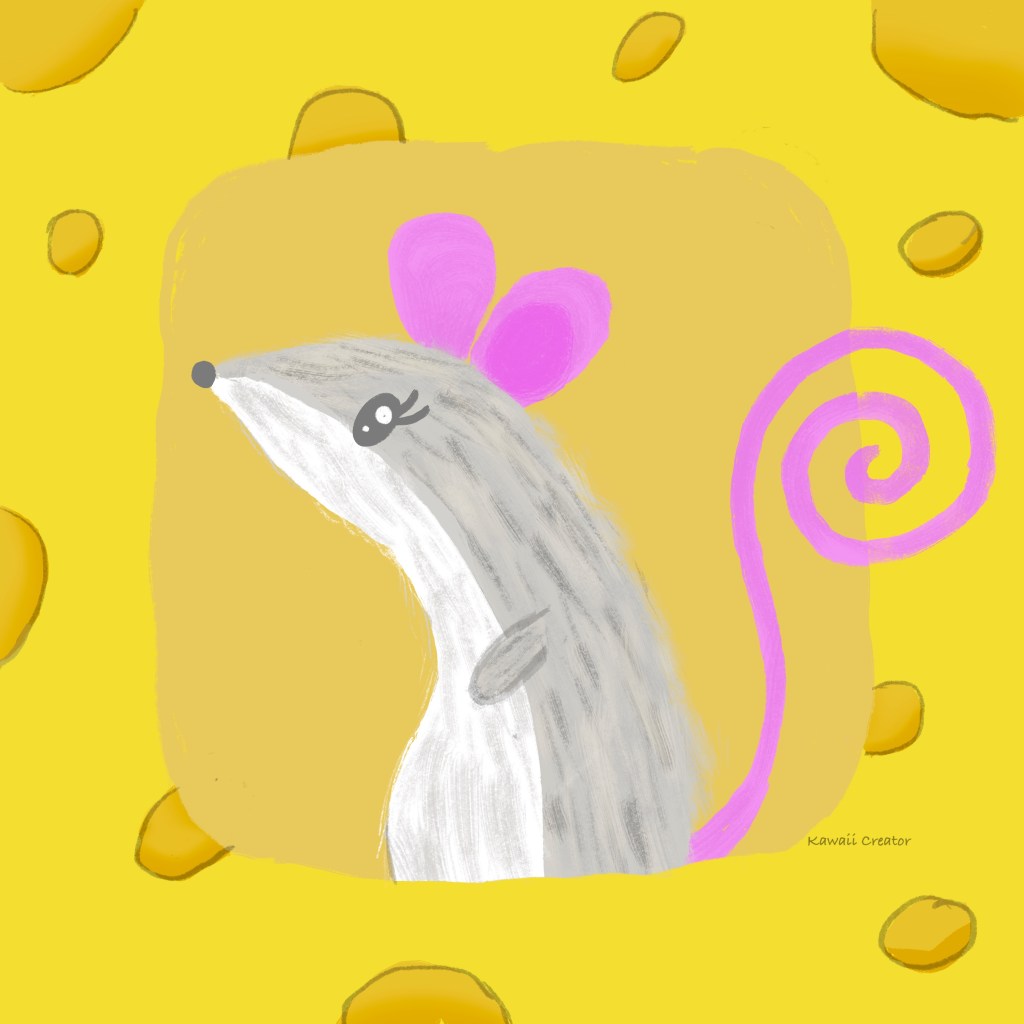
Her cuteness was enhanced by coloring her grey and white with pink ears and tail, although the lessons called for brown. Adding fur was easy; we used the Copperhead brush from the Drawing set using darker and lighter shades. I actually have a set of Fur brushes myself created by Eldar Zakirov but as I have very little clue on how to create fur, this tutorial came handy. Another useful tool we picked up was Layer Masks which are a customizable mask that allows you to hide or reveal parts of your artwork. By adding another layer, one can make parts of the illustration disappear (paint over in black), but also (re)appear anytime you want (paint over in white). In this case, the frame around the mouse is the top layer on which the layer mask was applied resulting in the bottom part of the mouse, as layer below, being concealed but the tail visible. How cool is that! By the way, I painted the frame as cheese with little holes in them, thereby making the whole painting extra cute!
So far so pleased with how the tutorials are going, and the Animals series are my favorite. In fact, the entire tutorial has presented me with lots of useful tips. Looking forward to applying them in my own Procreate artwork!

 My Kawaii Quarter